How i turned a $2 Android TV box into a remotely managed web display
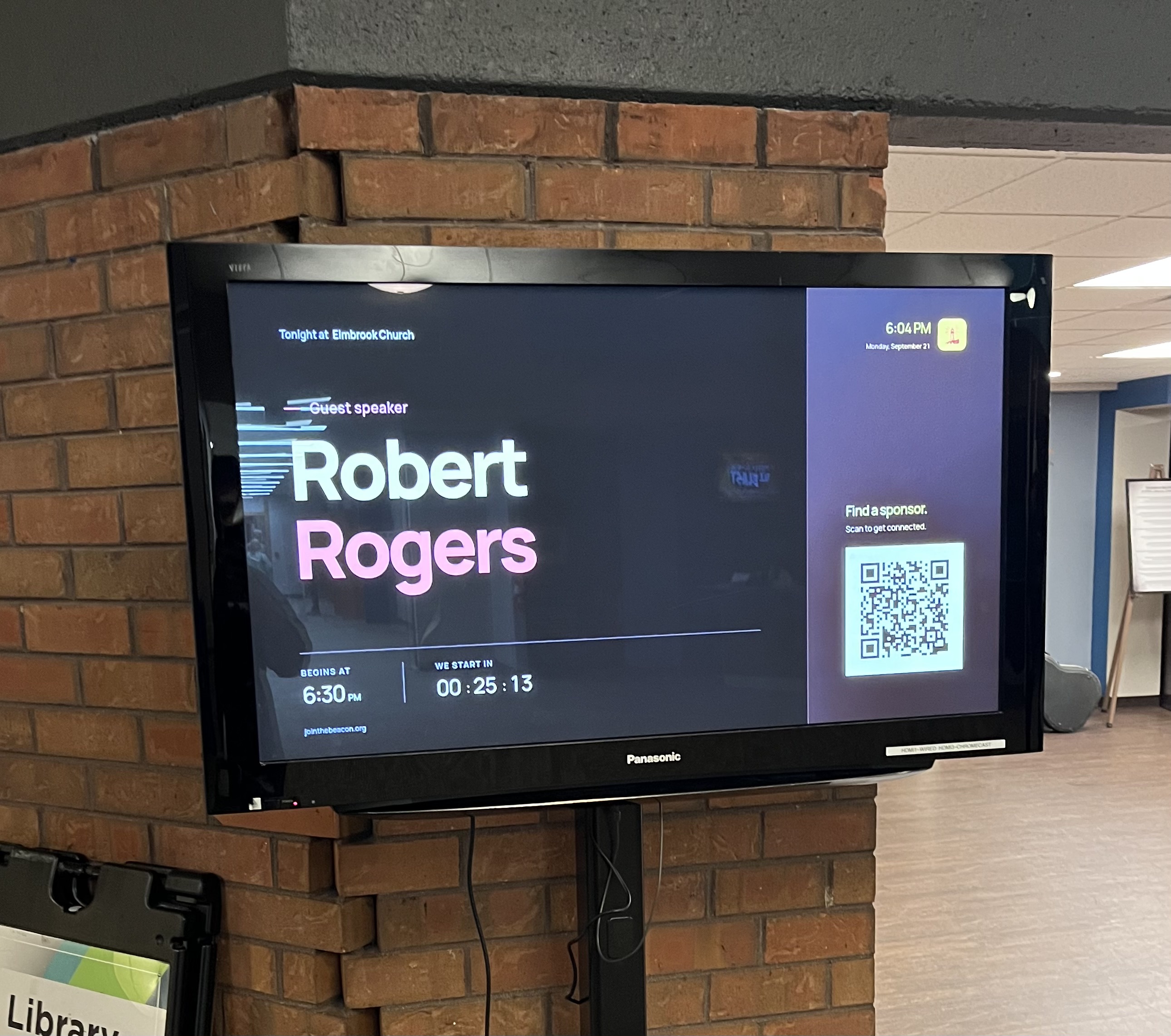
This project started because i wanted something that i thought was pretty simple. I have a web page that i want to display on a tv. ideally i wanted a tiny box that i could plug into HDMI and power, connect to wifi once, and basically never think about again. When the box gets power, it should boot up, connect to wifi, and open my page fullscreen every time.
i originally started looking at things like Roku because they're cheap and easy to find, but that meant building a Roku app and having the actual display logic live inside that app. As cool as that actually sounds to me, i really didn't want to do that… my project isn’t mature enough for me to feel comfortable with restricting myself to the Roku app update system. Plus, my project already exists as a web platform, where a normal HTML page with some JavaScript can display what I want. So, if i can just render the webpage directly, i can deploy changes to my server whenever i want and every display automatically gets the latest version. That would be ideal. So, by the good Lor’s grace while paroosing Goodwill with my daughter, I then found this thing for $2. (the tag says $3.99 but i got it for $2)
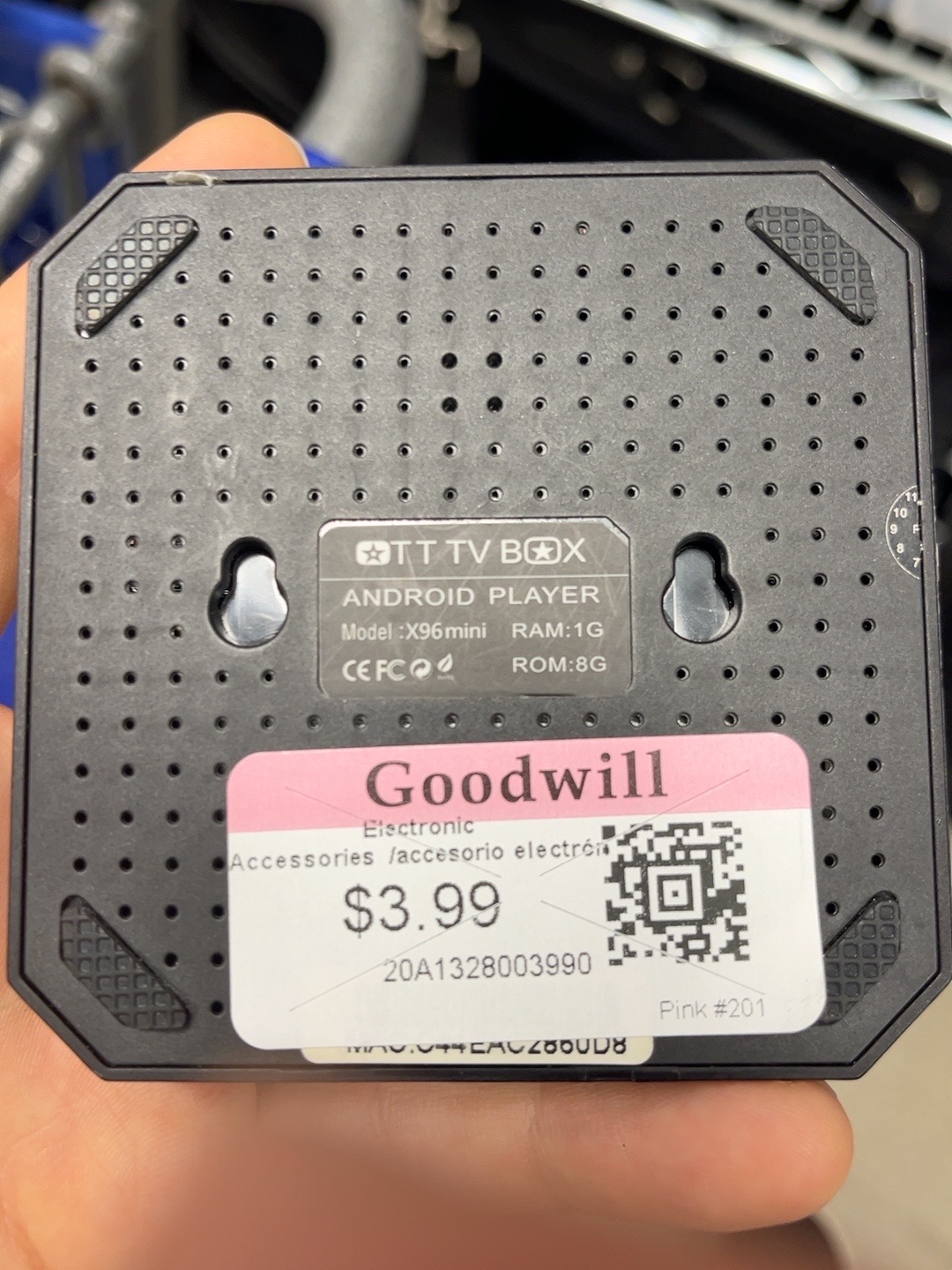
its an X96 Mini android tv box.
this particular one has:
Android 7.1.2
1 GB of RAM
8 GB of storage
an Amlogic S905W
HDMI
wifi
USB ports
obviously 1 GB of RAM in 2026 is pretty terrible... but for rendering one mostly static webpage ChatGPT told me it was a maybe.
so, first problem...
This thing is ancient. After factory resetting it, I connected it to wifi and opened my site in the browser. The HTML loaded but the CSS basically didn't work at all.
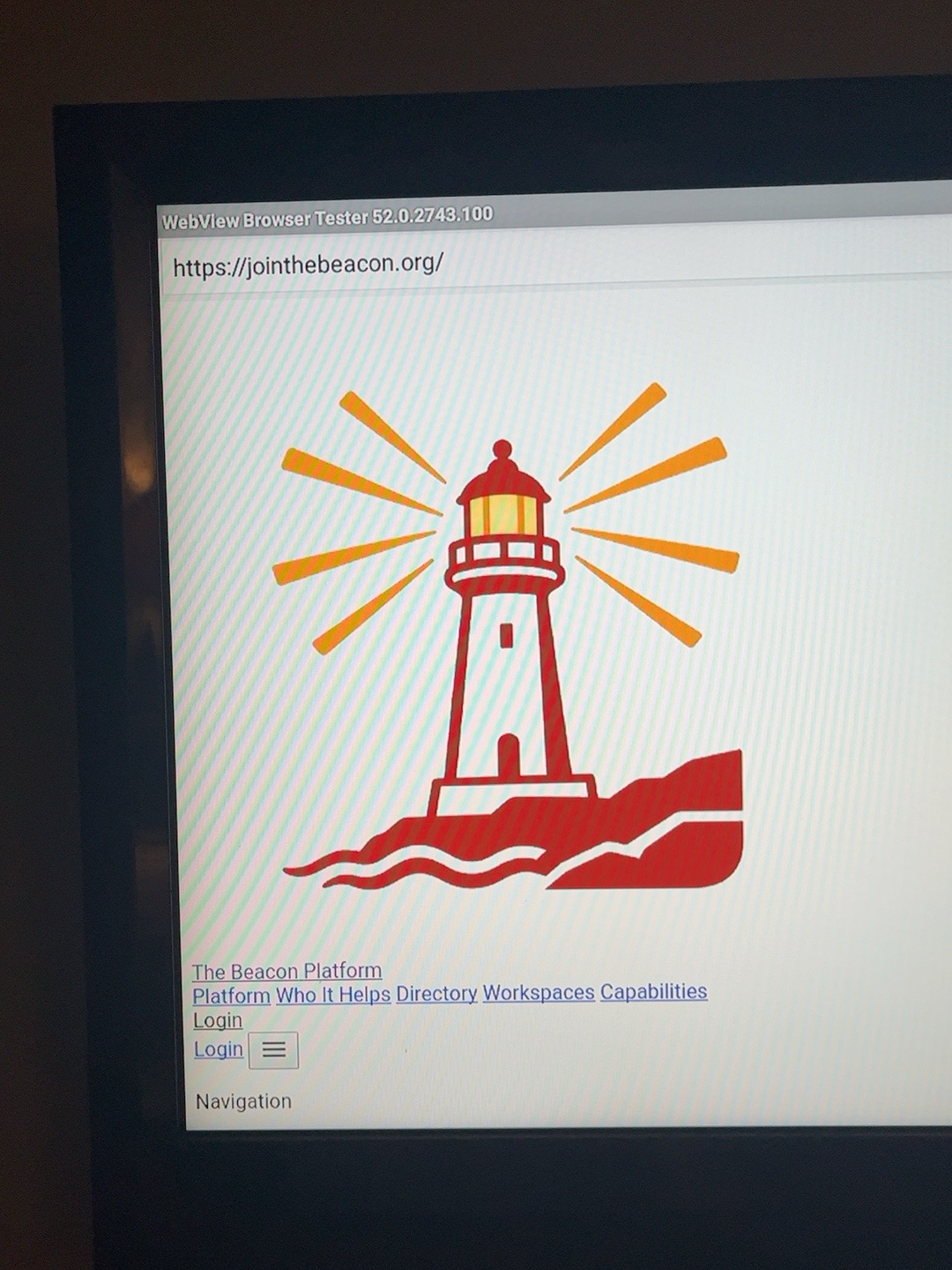
Turns out the actual problem was that the built-in Android System WebView was running Chromium 52. My site uses Tailwind 4, and the generated Tailwind stylesheet makes heavy use of modern CSS features like cascade layers. basically the stylesheet looks like this:
#
`css
@layer theme {
  ...
}
@layer base {
  ...
}
@layer utilities {
  .flex { display: flex; }
  .grid { display: grid; }
  ...
}
Talking with ChatGPT a bit more I learned that Chromium didn't add support for CSS cascade layers until version 99. So Chromium 52 doesn’t know what to do with a @layer block. In my case this meant it skipped basically the entire stylesheet lol. So hurdle #1 was figuring out how to get my existing styling to work with this machine with a browser that was almost a decade too old to understand the CSS.
i figured at this point i had a couple options. i could make a special legacy CSS build for this box, try to flash a newer Android version, or see if i could somehow get a newer browser running on it.
after a moment of brief anxiety, while poking around inside Chrome i noticed the “an update is available” orange icon. so i installed it and ended up with Chrome 101.
[IMAGE: Chrome 101 / Chrome version screen on the X96]
i opened the same page again... and everything rendered! that was kinda the moment where i realized this stupid $2 box might actually work.
after that, i tried updating WebView too. No success.
i still wanted to use a normal Android WebView if possible because i figured that would be lighter than launching full Chrome. Google Play actually let me install Android System WebView 119 which seemed like it should work. except Android refused to use it. ADB showed all of these installed:
com.android.webview
com.google.android.webview
org.chromium.webview_shell
and the Google WebView really was version 119:
versionName=119.0.6045.193but trying to switch providers failed:
Failed to switch to com.google.android.webview,
the WebView implementation is now provided by com.android.webview.
eventually i pulled Android's framework resources off the box and found this:
<webviewproviders>
    <webviewprovider
        description="Android WebView"
        packageName="com.android.webview"
        availableByDefault="true" />
</webviewproviders>
so the ROM literally only allowed its ancient built-in WebView to act as the WebView provider.
i could probably have started modifying Android itself at that point, but Chrome 101 already rendered the page correctly, so i started wondering if there was a way to just use Chrome without making this thing look like somebody opened a browser on a tv. turns out there is! hooray
trusted web activities are actually perfect for this
Android has something called a Trusted Web Activity, or TWA. The basic idea is that your Android app can hand a URL to Chrome and let Chrome render it fullscreen as part of the app experience. The Android app doesn't need to contain the forehead URL bar at all.
thats almost exactly what i wanted. so i made a tiny Android app with the package:
org.jointhebeacon.displayand pointed it at a display URL like:
https://jointhebeacon.org/network/elmbrook-church/displaythe website also serves a Digital Asset Links file at:
https://jointhebeacon.org/.well-known/assetlinks.jsonthat associates the website with the signing certificate used by the Android app. Once Chrome verifies that relationship, it trusts the Android application to open the site without showing the normal browser controls.
the resulting signed APK is only around 420 KB. its basically a tiny native wrapper around the browser thats already installed. so on the first try i installed it over ADB and launched it.
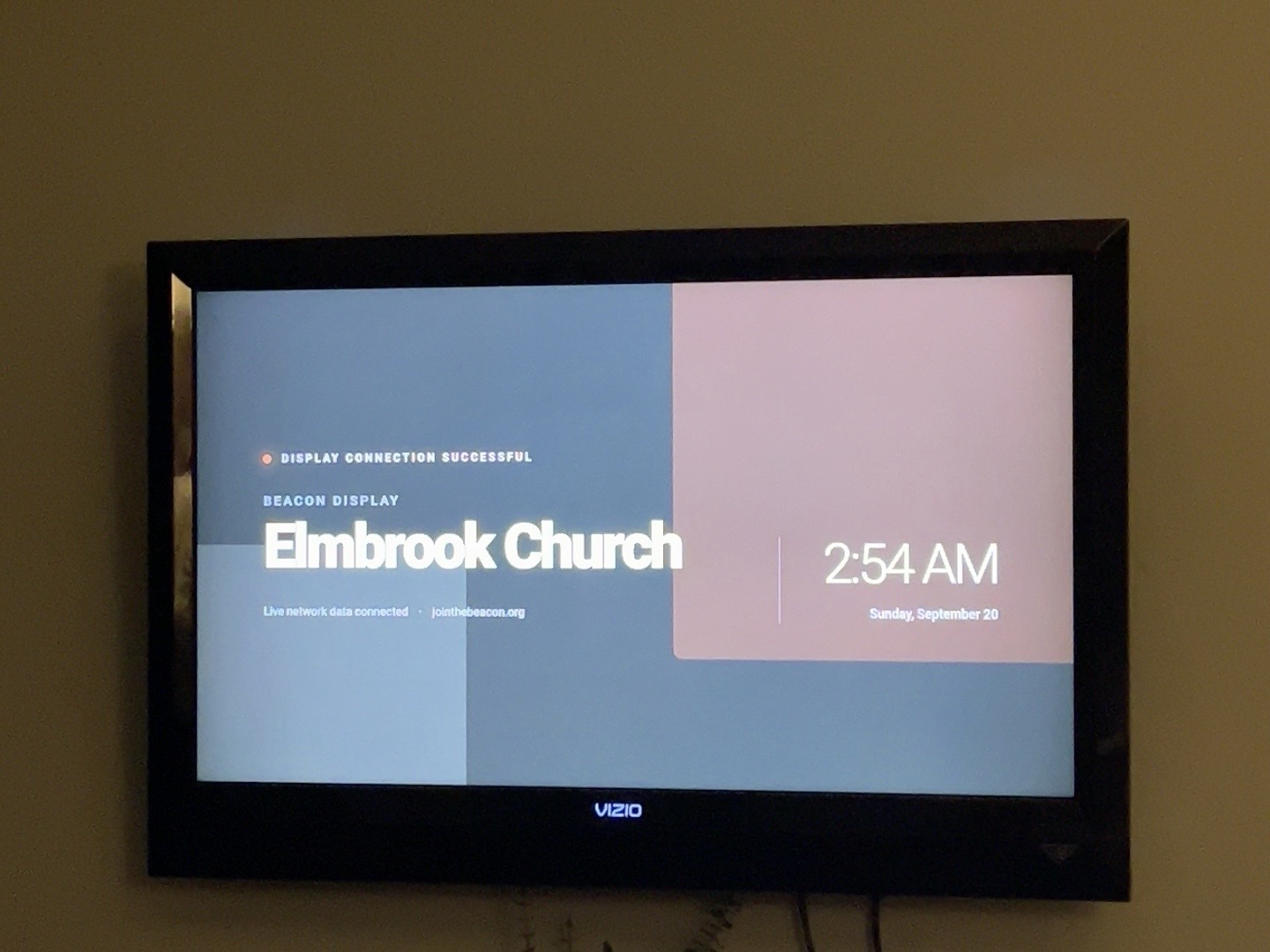
and…. it worked. hooray. Chrome 101 rendered the whole site correctly, the Digital Asset Links verification worked, and there was no address bar or Chrome UI. it just looked like an app.
then i wanted to have it start my app on boot
getting the page fullscreen was cool, but this wasn't really useful to me unless the box could act like an appliance. I wanted to be able to hand the box to someone and have the setup process be as easy as possible. i wanted this to be the workflow:
unplug box
    ↓
bring it somewhere
    ↓
plug in HDMI + power
    ↓
wait
    ↓
Beacon appears
the first version was pretty simple. i added a BOOTCOMPLETED receiver to the Android app.
after Android finished booting, Beacon would automatically launch its TWA. i unplugged the X96 completely, plugged it back in, and watched it go through the whole boot process. Android started. wifi reconnected. then a few seconds later... boom. my app appeared on its own
there was still one thing that bugged me. Android would boot into the stock X96 home screen and sit there for around 15 seconds before BOOTCOMPLETED was delivered. looking like this:
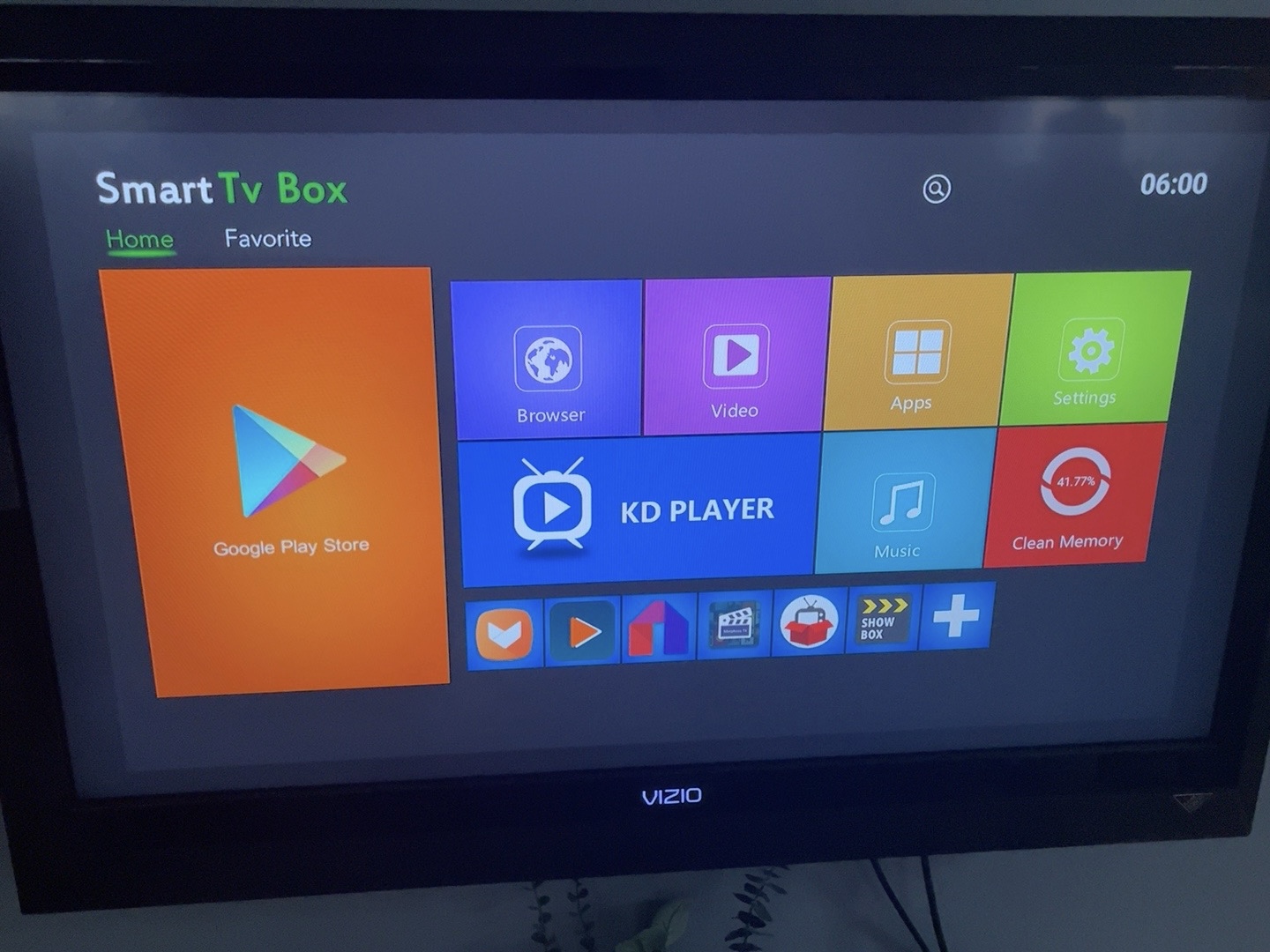
technically everything worked, but it didn't really feel like a dedicated display. so i made Beacon capable of acting as the Android HOME application. the app now has a tiny native startup screen that can appear while we're waiting for the network. something simple that says:
BEACON
Starting display...
once the Beacon server is reachable, it opens the TWA. if the connection isn't available, it keeps retrying and can expose Android's network settings so the wifi can be fixed without needing ADB. there was one more weird X96-specific issue here. even after Android said Beacon was the preferred HOME application, the stock DroidLogic launcher kept appearing anyway.
turns out the vendor launcher was basically refusing to die lol. because this X96 happens to be running a rooted userdebug build, i could disable the stock launcher for the Android user:
adb shell pm disable-user --user 0 com.droidlogic.mboxlauncherafter that, rebooting finally did what i wanted.
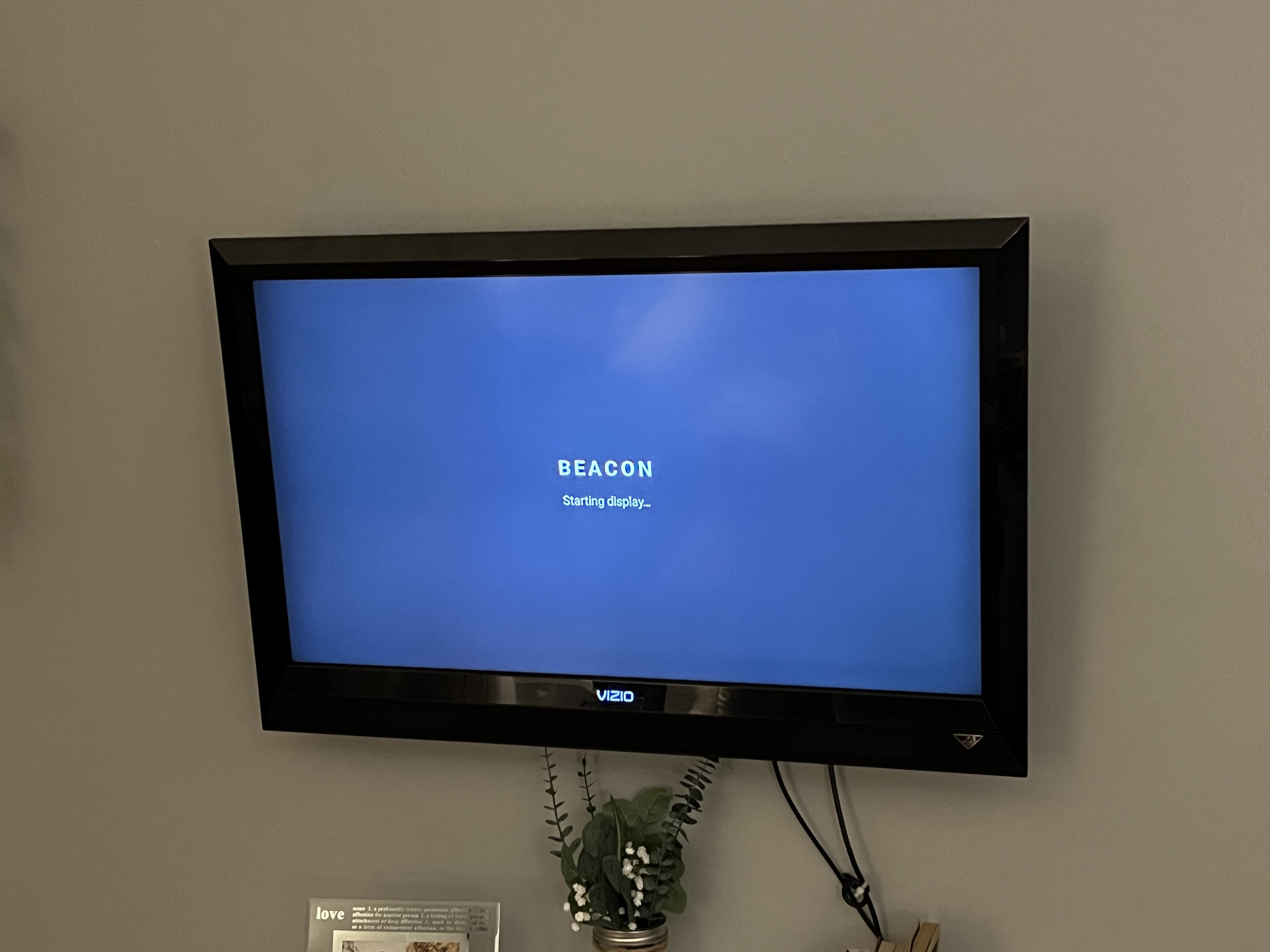
the box boots and goes into Beacon instead of sitting on the X96 home screen. then wifi comes up, Beacon verifies it can reach the server, and the webpage appears. so the final setup is basically this:
power
  ↓
Android 7.1.2
  ↓
Beacon Display
  ↓
wait for network
  ↓
Chrome 101 TWA
  ↓
live webpage
and because the actual display is still a webpage, i can completely change what appears on the tv without shipping another Android app. the more time passed the more it dawned on me that this would make my life a lot easier for maintaining this thing. everything people actually see can just live on a web page.
theres still one weird limitation
while messing with this i noticed the display wasn't quite as crisp as i expected for a 1080p tv. that led to another sidequest lol. the X96 is outputting:
1080p60hzover HDMI. but Android itself is rendering the UI at:
1280x720the Amlogic display hardware then scales that 720p framebuffer up to 1920x1080 before sending it over HDMI. we confirmed it all the way down in the framebuffer driver:
frame.width=1280
frame.height=720
while the output is:
1920x1080even more interesting, the vendor left this config sitting in /system/etc/mesondisplay.cfg:
# if the device is MBOX, need set default ui [720p | 1080p]
MBOX meson8m2 720p
i tried changing that to 1080p. it definitely changed the display configuration... but the kernel still allocated a 1280x720 framebuffer, which resulted in a pretty awkward duplicated display instead of true 1080p.
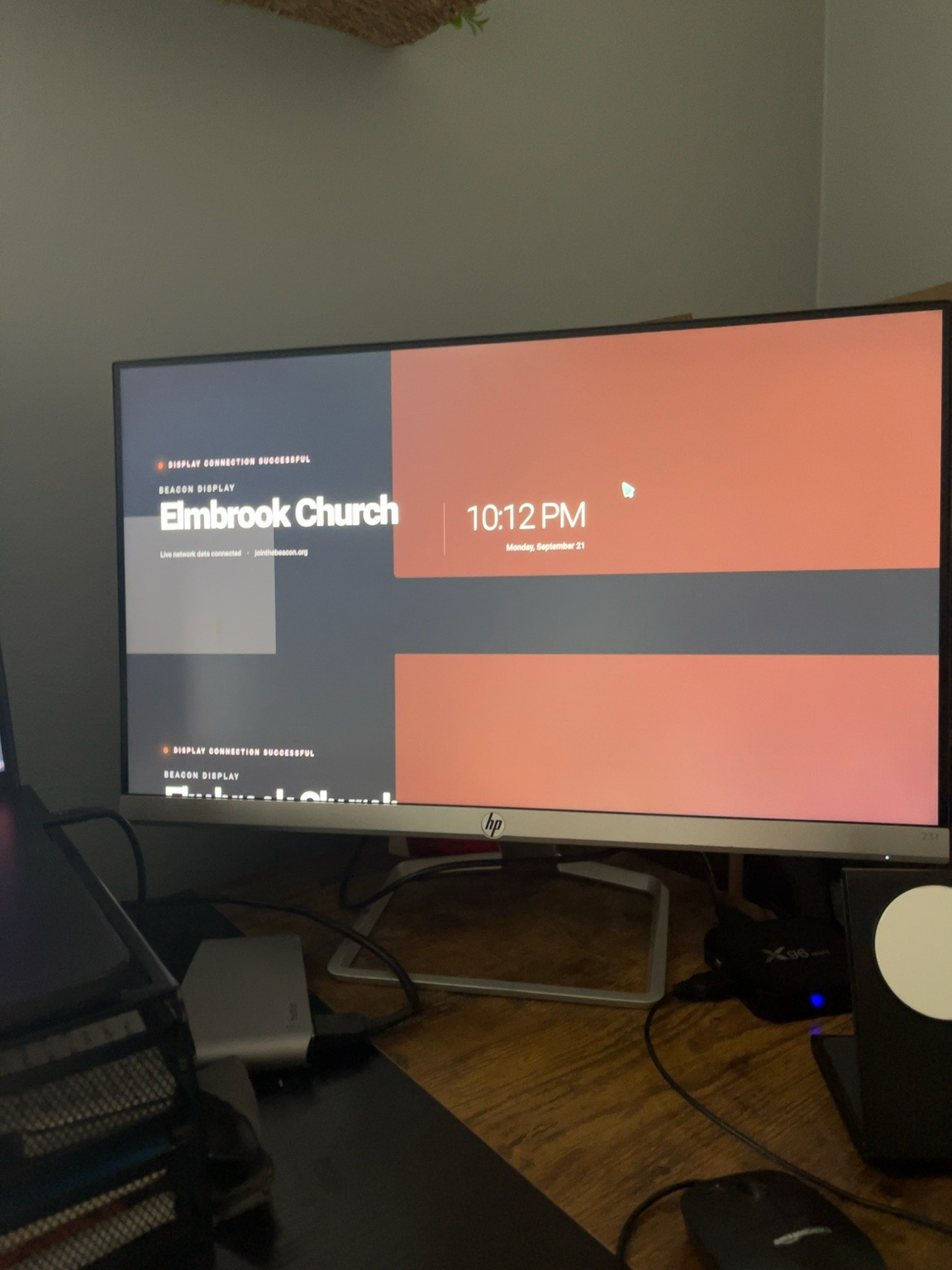
so apparently getting a real 1080p framebuffer will require going one level lower into the Amlogic/device-tree configuration. im probably gonna keep messing with it, but none of that is actually required for the display to work. 720p upscaled to 1080p is completely usable for what im doing right now.
and... the final result?
After a little redesign of the final page, I got it setup and working for a real event! the plan is to continue using this box for future “tonight’s guest” kind of information

for $2 i ended up with:
• a tiny HDMI display box
• automatic boot
• automatic wifi reconnect
• a native loading/recovery screen
• fullscreen Chrome rendering
• remotely updated web content
• no remote required during normal use
• no browser UI
• no custom Android ROM
code
im going to put the Android side of this on GitHub here:
https://github.com/arron-taylor/beacon-android-tv
the repo will include the TWA wrapper, boot handling, native loading/recovery screen, and the other Android pieces needed to turn the box into the display. you'll obviously need to point it at your own HTTPS site and configure Digital Asset Links for your domain/signing certificate. but if you have one of these old Android boxes sitting in a drawer somewhere... apparently it might still have a job lol.
Arron Taylor
Software engineer building products that matter. Writing about faith, technology, and life in Milwaukee.
No comments yet. Be the first to share your thoughts!